Webflow or WordPress? As a Swiss Webflow agency with more than 150 completed projects, we know both systems inside out. In this comparison, we show you objectively where Webflow wins, and where WordPress is the better choice.
Webflow vs. WordPress [2026]: the head-to-head comparison
Before we go into depth: here are all the important differences at a glance. The table shows which system has the edge where.
* Source: Patchstack Security Report 2025
When is Webflow the better choice?
Webflow is ideal if one or more of the following criteria apply:
When is WordPress the better choice?
We will be honest: in certain situations, WordPress can be the more sensible choice:
What is WordPress?
WordPress is an open-source content management system (CMS) originally developed as a blogging platform in 2003. Today it powers around 43 % of all websites worldwide, making it by far the most widely used CMS on the market.
WordPress works with a system of themes (for the design) and plugins (for the features). More than 60'000 plugins are available, from SEO tools and e-commerce to security solutions. The advantage: almost unlimited flexibility. The disadvantage: this flexibility comes at a price in the form of maintenance effort, plugin conflicts and security risks.
Typical challenges with WordPress that we hear from our clients:
- Plugin conflicts: Plugins from different developers can clash with each other and crash the website.
- Security risks: Because it is so widespread, WordPress is a popular target for attacks. Without regular updates, you risk being hacked.
- Maintenance effort: Core updates, plugin updates, theme updates: running a WordPress site is active work.
- Creeping slowdown: Many plugins = many HTTP requests = slow load times.
What is Webflow?
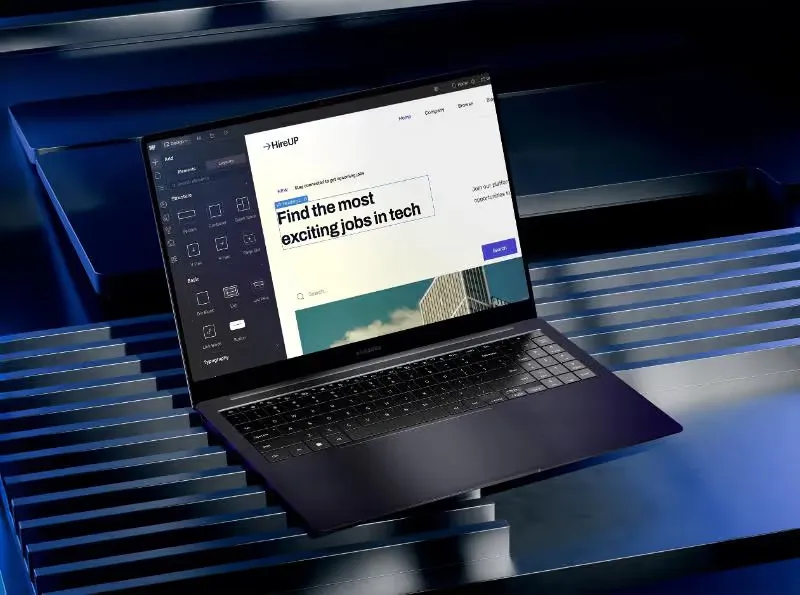
Webflow was founded in 2013 by Vlad Magdalin, Sergie Magdalin and Bryant Chou. It is a hosted SaaS platform that combines visual web design, CMS and hosting in a single tool. Webflow generates clean HTML5, CSS3 and JavaScript without you having to write a single line of code. Behind the visual editor is full-fledged, professional web code: optimised, semantically correct and favoured by search engines.
The decisive difference from classic website builders such as Wix or Squarespace: Webflow offers the design freedom of a professional developer. You do not work with ready-made blocks or template limits; you build layouts from scratch, visually but with the precision of hand-written code. For experienced Webflow experts like our team, that is the opportunity to implement every design idea exactly, in a fraction of the time classic development would take.
Important to understand: Webflow is not a "simple website builder". It is a professional tool that requires solid knowledge of web design principles. Anyone who compares Webflow with a simple Wix builder does not understand the system: it is more the professional layer between classic hand coding and a restrictive page builder.
The biggest advantages of Webflow at a glance:
8 criteria in detail
1. Design & design freedom
If you are building a website that really fits your brand, rather than looking like a thousand others, you need maximum design freedom. This is exactly where Webflow's greatest strength lies: there are no templates, no theme limits, no predefined block structures holding you back. Every element can be positioned freely, every layout constructed individually, pixel-perfect at every breakpoint.
Conceptually, WordPress relies on themes as the basis for design. That works well for standardised websites, but becomes problematic as soon as individual layouts are needed. Page builders such as Elementor or Divi allow more freedom, but at the cost of performance overhead, update dependencies and code output that is far from "clean". Designers and developers who work with Webflow often describe it like this: "It's as if CSS has finally become visual."
For companies that want a distinctive online presence, not a template look but real brand design, Webflow is simply the better platform.
2. Ease of use & CMS
After a website goes live, everyday life begins: updating blog posts, maintaining team pages, adding new products or references. How easy that is largely decides whether a website lives or withers.
The Webflow CMS was developed from the ground up for non-technical users. Content is edited directly in the visual editor: what you type is immediately shown the way it will appear live. As an agency, we configure the CMS for our clients so that they only see the fields they really need. No cluttered admin interface, no confusion from technical options.
With the Gutenberg block editor, WordPress has made great progress. For simple text pages, it is usable. With complex layouts, such as multi-column designs, dynamic content or individual page structures, Gutenberg quickly becomes a challenge. Many clients tell us: "I don't dare change anything because I don't know what will break."
3. Performance & load times
Load time is not a technical detail: it has been a direct Google ranking factor since the Page Experience Update in 2021 and directly affects your visitors' bounce rate. Studies show that every additional second of load time costs up to 7 % in conversions.
Webflow delivers websites via a global CDN (Cloudflare) and generates lean, optimised code out of the box. Images are automatically delivered in modern formats (WebP, AVIF). In our projects, Core Web Vitals (LCP, CLS, FID) are usually in the green zone without any additional optimisation work.
WordPress websites can also be very fast, but it takes active effort: powerful hosting, a caching plugin (e.g. WP Rocket), a CDN, image optimisation and a lean theme without excessive JS libraries. If one of these layers is missing, the site becomes measurably slower. In practice, on WordPress sites we take over, we often see LCP values of 4–8 seconds on mobile, far outside Google's recommendation.
4. SEO
For many companies, SEO is the most important traffic channel, and the question is correspondingly critical: which CMS helps you rank better?
Webflow has SEO features built natively into the editor. Meta titles, meta descriptions, Open Graph tags, URL slugs, canonical URLs, 301 redirects, noindex flags, automatic sitemaps, alt texts: all directly in the dashboard, without a single plugin. On top of that, Webflow generates semantically clean HTML with a correct heading hierarchy, structured data and fast load times, all factors that Google rates positively.
With plugins such as Yoast SEO or RankMath, WordPress is also very strong. If you know what you are doing, you can rank just as well with WordPress as with Webflow. The difference lies in the set-up effort: what works out of the box in Webflow first has to be configured, maintained and updated in WordPress.
For advanced SEO strategies (programmatic SEO, large content libraries, multilingual sites with hreflang), Webflow has also offered native solutions since 2024: the Localization feature supports hreflang tags automatically.
5. Security
For many SMEs, security is an underestimated topic, until it is too late. A hacked website means data loss, potential GDPR breaches, damage to your reputation and often days of downtime.
As a hosted SaaS platform, Webflow is designed to be secure from the ground up. Security patches are installed automatically, SSL is included, and there are no third-party plugins that could open up attack surfaces. For website owners, that means no patch management, no security monitoring, no stress.
WordPress is structurally more vulnerable, not because the core is insecure, but because the plugin system represents a huge attack surface. According to the Patchstack Security Report 2025, 96 % of all WordPress security vulnerabilities come from plugins. Because many plugins come from small development teams and some go without updates for years, the risk is real. On top of that, WordPress sites are attractive targets for automated attack bots because the system is so widespread.
6. Animations & interactions
Modern websites thrive on movement: scroll-triggered animations, hover effects, page transitions, parallax elements. These interactions measurably improve the user experience and set a professional site apart from a merely "functional" one.
Webflow has a clear lead here. The built-in Interactions editor allows complex animation sequences entirely visually, with no JavaScript needed. With the native GSAP integration (free for all plans since 2024), even cinematic animation sequences are possible, like those you know from the best agency websites. Scroll-based animations, mouse tracking, Lottie integrations, parallax effects: all out of the box.
WordPress does not offer these options natively. If you want animations, you need either a page builder plugin (which only offers basic effects), a separate animation plugin (such as Scrollsequence or Motion.page), or custom JavaScript development. That means more dependencies, more plugin conflicts, more maintenance effort, and often lower quality in the end.
7. Integrations & extensibility
Websites are rarely isolated systems. They have to connect with CRMs, email marketing tools, analytics, payment providers and internal software landscapes. This is where the ecosystem is decisive.
When it comes to integrations, WordPress is the clear king: 60'000+ plugins cover practically every use case. WooCommerce for e-commerce, BuddyPress for communities, LearnDash for online courses: complex functional extensions are possible with WordPress without custom development. That is a real advantage for very specific requirements.
Webflow connects with every relevant tool on the market through native integrations and third-party connections (Zapier, Make): HubSpot, Mailchimp, ActiveCampaign, Salesforce, Stripe, Airtable, Google Analytics, Hotjar; the list is long. For the requirements of most SMEs and startups, that is entirely sufficient. Where native integrations are missing, custom code embeds allow any individual extension.
The decisive difference: WordPress integrations come as plugins with their own update cycle and potential conflicts. Webflow integrations run externally, so they do not affect the website's stability.
8. Custom code & development flexibility
Both systems allow individual code extensions, but in different ways and to different depths.
Webflow offers a clean custom code layer: JavaScript, CSS and HTML can be added inline via an embed widget or globally via page or site settings. That is ideal for specific functions: a custom form handler, an external API connection, individual analytics events, a special UI widget. The combination of visual editor and custom code means 90 % of the work happens visually, and 10 % is added precisely with code when needed.
As an open-source system, WordPress offers deeper back-end control: PHP hooks, custom post types, your own REST API endpoints, themes as complete application layers. For developers who need maximum control over every aspect of a website, including the server, WordPress is the more powerful tool.
The question is: does your SME or startup need this depth? In 95 % of our projects, the answer is no. Most company websites need no custom back end, no PHP hooks, no REST API of their own. They need a beautiful, fast, secure website that their team can maintain itself, and that is exactly what Webflow is built for.
Webflow vs. WordPress: costs & prices compared
The honest answer: both systems can be cheap or expensive, depending on the requirements. Here are the real annual costs for a typical SME website (10–20 subpages):
Webflow & WordPress in Switzerland: what should you bear in mind?
As a Swiss Webflow agency, we know the specific requirements of the Swiss market. These are the most important points:
Our verdict as a Webflow agency
After more than 150 completed web projects, many of them migrations from WordPress to Webflow, our assessment is clear: For most Swiss SMEs and startups, Webflow is the more modern, smarter and, in the long run, more cost-effective choice.
WordPress is an excellent system with a huge ecosystem, but it demands active management, technical maintenance and a consistent security concept. If you cannot or do not want to provide that in-house, you pay the price in time, money or security risks.
Webflow takes this complexity away. It lets us build design-led, fast, secure websites that our clients can run themselves, without fear of plugin updates or hacked sites.
Our clear recommendation:
- Choose Webflow if you want a professional company website, marketing site or portfolio site
- Choose WordPress if you are planning a complex online shop or a large content platform with specific back-end requirements
Frequently asked questions about Webflow vs. WordPress
Can you switch from WordPress to Webflow?
Yes, migrating from WordPress to Webflow is possible. Content (copy, images, blog posts) can be migrated manually or with tools. Design and structure are rebuilt in Webflow, which in most cases is also a welcome relaunch. We recommend migrating as part of a website relaunch, because Webflow has a fundamentally different design system.
Is Webflow more expensive than WordPress?
That depends on the set-up. Webflow has transparent, predictable hosting costs (approx. CHF 500–1'000/year including hosting, SSL, CDN and backups). WordPress hosting starts cheaper, but once you factor in premium themes, SEO plugins, security plugins and maintenance effort, the annual costs are often comparable or higher. For professionally run sites, Webflow is the more cost-transparent choice in the long run.
Do you need coding skills for Webflow?
To maintain content (copy, images, blog posts), you need no coding skills at all. The CMS is intuitive for end users. For building and designing a Webflow site, we recommend experienced Webflow developers: Webflow is not a simple website builder but a professional tool. Done well, it produces websites that could hardly be built more efficiently by hand coding.
Is Webflow GDPR-compliant?
Webflow can be operated in a GDPR-compliant way. Webflow provides a data processing agreement (DPA), and as a user you have control over cookies and tracking tools. Important: you must integrate a proper cookie consent solution and pay attention to embedded third-party tools. The situation is similar under the Swiss revFADP. We help our clients configure their sites in line with data protection law.
How long does it take to build a Webflow website?
At Bloq Labs, we typically deliver custom Webflow websites in 4–8 weeks. That depends on the scope and the number of subpages. Thanks to Webflow's efficient development process, we often save 30–50 % of development time compared with classic hand coding, which has a direct impact on costs.
Who is Webflow suitable for?
Webflow is ideal for Swiss SMEs, startups and agencies that want a professional, custom company website, without depending on an agency for every content change afterwards. It is particularly suitable for marketing websites, corporate sites, landing pages and portfolios. For very large e-commerce projects or content-heavy platforms, WordPress may be the better choice.