Framer and Webflow are without question two of the biggest names in the world of website builders. Both platforms are very popular with their users and are valued for their many features and extensive design tools.
In this article we take a close look at both platforms and tell you who comes out on top in the Webflow vs. Framer showdown.
As the #1 Webflow agency in Switzerland, we have already successfully completed more than 100 projects, from SME websites to complex platforms. Take a look at our portfolio or book a free initial consultation to talk to us about your project.
👉 Interested in how Elementor compares with Webflow? Then take a look at our detailed Webflow vs. Elementor comparison.
What is Framer?
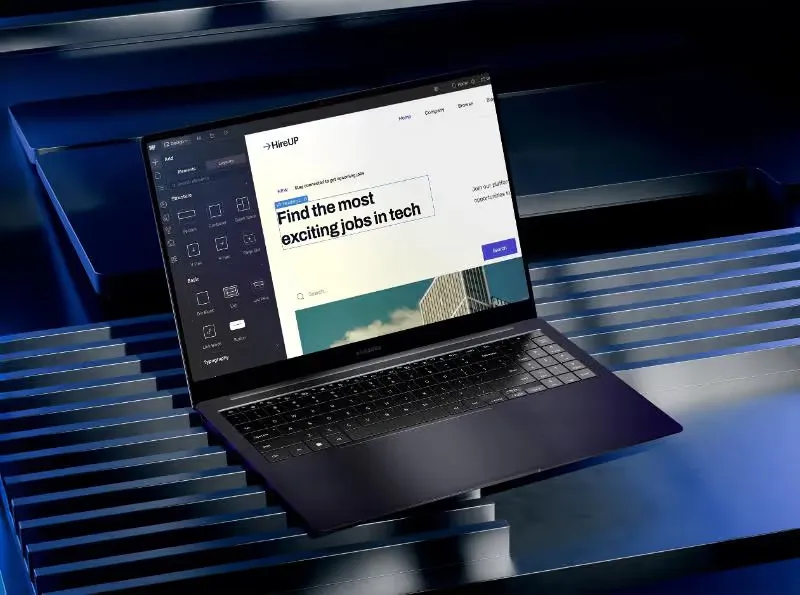
Framer is an online editor for building websites and web apps. At the heart of the tool is the visual editor, which lets you put websites together by drag and drop. Besides a range of design tools, Framer also lets us use animations in our project. The tool also has a built-in content management system that lets us add dynamic content, such as a blog, to our site.
What is Webflow?
Webflow also belongs to the category of website builders. Webflow offers an intuitive interface that lets us build websites without coding. Besides an editor for the website's design and functionality, Webflow also has a CMS that we can fill with content and display it on our website. Like many other solutions, Webflow is extensible; for this we use apps, which are created by other users or by companies and distributed through the built-in marketplace.
Framer vs. Webflow: similarities and differences between the platforms
On paper, the features of Framer and Webflow sound almost identical. But there are small yet significant differences between the two solutions. First of all, it is worth looking at what the two platforms have in common.
Both Framer and Webflow are valued for the great freedom they offer in website design and interactivity. Besides pixel-perfect design, it is above all the animation features that set both solutions apart from the competition. Both Framer and Webflow are also scalable and can easily be adapted to higher traffic when needed. Both tools have a built-in CMS, available depending on the plan you choose.
The differences between Framer and Webflow begin as soon as we look beneath the surface: while Webflow relies on HTML, CSS and JavaScript, Framer is based on the React programming language. React is a JavaScript framework developed by Meta (Facebook) and used in a wide range of web and mobile applications. This is the first big difference between Framer and Webflow: while React is primarily suited to web applications, HTML, CSS and JavaScript are often enough for websites.
So you could argue that Framer is primarily suited to dynamic web apps. In fact, using React for websites is rather suboptimal; for one thing, using and maintaining React components requires the necessary technical knowledge. For another, using React quickly limits your freedom, because porting React-based solutions is not as easy as moving between HTML-based platforms. Unlike Webflow, Framer does not offer a code export; once we have opted for Framer, there is no way to export the website. In more than 100 completed Webflow projects, we have shown how versatile and high-performing Webflow is, even for complex requirements
If the built-in features of the two platforms are not enough for you, you are in luck: both tools offer extensions through a built-in marketplace. In Webflow, these third-party solutions are called apps; in Framer, as in WordPress, they are called plugins. Some of these extensions are available free of charge, while other solutions are only available for a monthly fee or a one-off payment. The same applies to the templates available for both Framer and Webflow. From free website templates to elaborately designed templates that can cost several hundred francs, there is something for everyone. If you are unsure whether Webflow or Framer suits your project better, arrange a free consultation with our team.
Webflow vs. Framer: the ultimate comparison
Now to the actual comparison of the two platforms. Today, partly because of the sheer number of solutions available, the demands on a website builder are higher than ever. So the question is: who comes out on top in the Framer vs. Webflow showdown? Below, we look at a few points that we value particularly highly in website editors.
Ease of use
User experience is a decisive feature of any digital product: if a product is hard to handle, the end result is often suboptimal too. That is why it is particularly important to choose a platform that creates a pleasant working environment for developers and designers. After all, we want to be able to jump quickly between different areas of our website; long load times or complex menus are performance killers that turn building the site into an ordeal.
Compared with Webflow, Framer has a steep learning curve that can quickly overwhelm beginners in particular, and even more experienced developers. The animations, which are one of Framer's key selling points, require a comparatively high level of technical skill. Other areas of the editor also lack the conveniences offered by Webflow's intuitive user interface.
In recent years, vendor lock-in has also become more and more important. After all, we do not want to simply hand our project over to a provider without keeping control of our code. For Webflow users (and those who want to become one), there is good news here: the platform lets you export the code in a few clicks. That means we can easily move our website to another HTML-based platform or simply host it ourselves, an advantage we have also used successfully in numerous Webflow projects.
👉 Still unsure whether Webflow is right for you? Then book a free initial consultation with our team now.
User interface
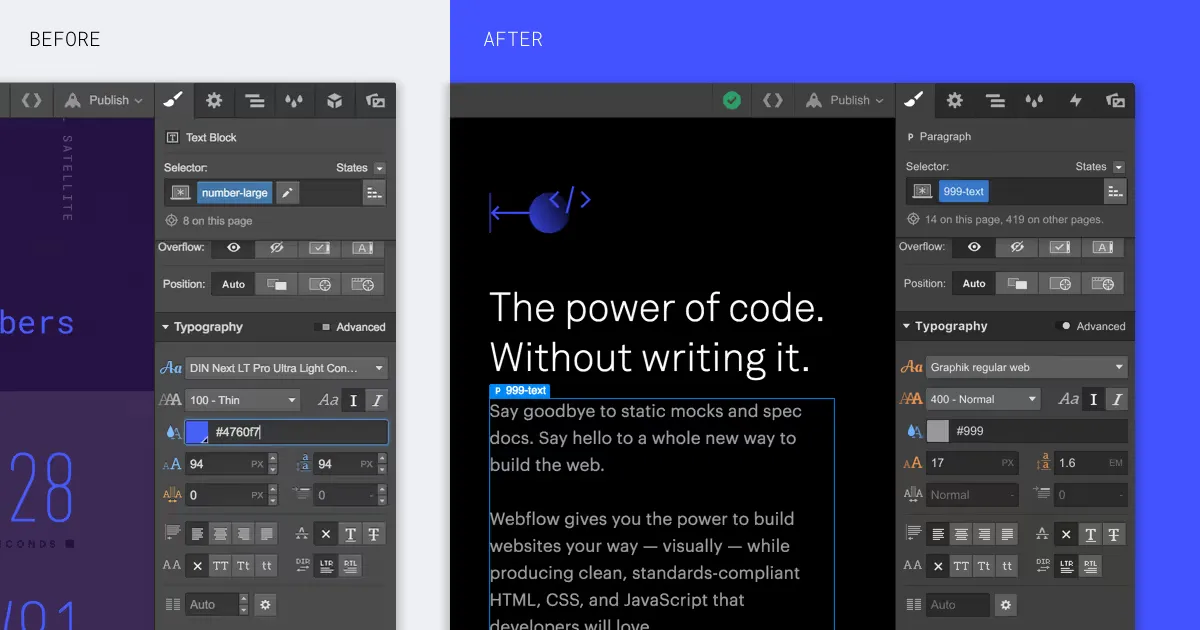
The heart of every website builder is, of course, the editor we use to put our website together. A user-friendly interface is just as important as good performance. After all, the user experience starts with using the editor and does not end with the finished website.
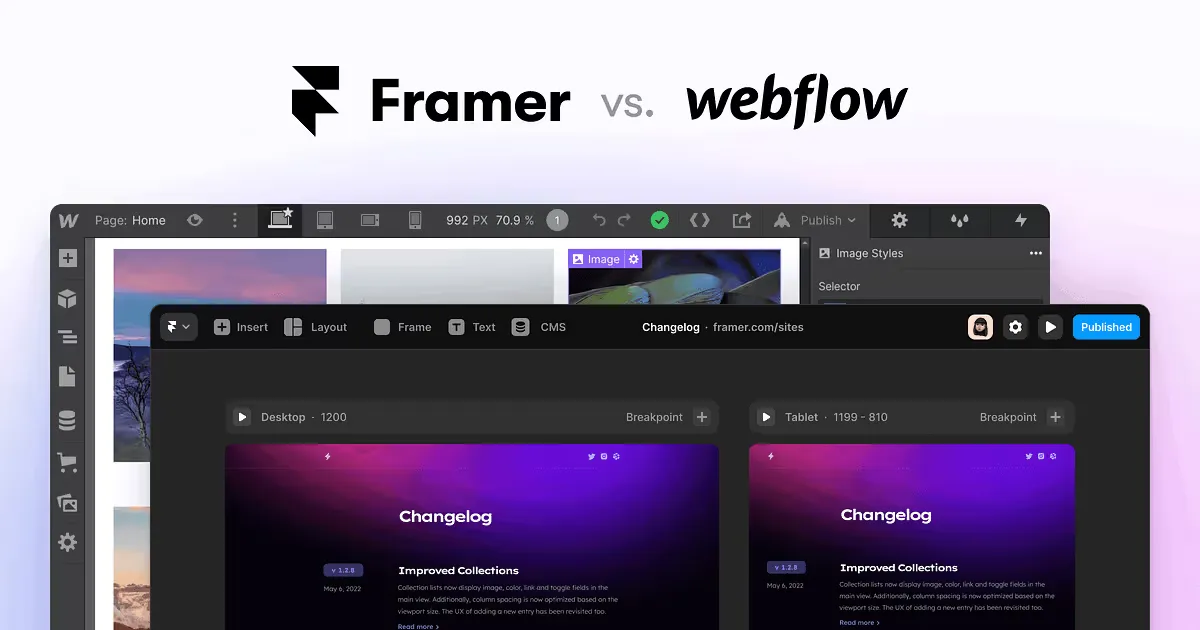
At first glance, the differences between Webflow's editor and its Framer counterpart are comparatively small: on the left, we always have an overview of our website's structure and can switch between the different elements in a few clicks. In the middle is the actual editor, which gives us a visual representation of our website at all times. And on the right we find the settings for the elements, which we use to define spacing, font sizes and other aspects of our design.
But anyone who has looked at both platforms more closely soon notices that Framer can quickly feel overwhelming, especially for beginners. Compared with Webflow, the interface feels nested in places and does not come close to offering the granular customisation options of the Webflow editor. You can make further settings in Framer with CSS, but the out-of-the-box options lag far behind Webflow's. So if you want to fine-tune your design precisely in Framer, you need the corresponding CSS knowledge.
SEO
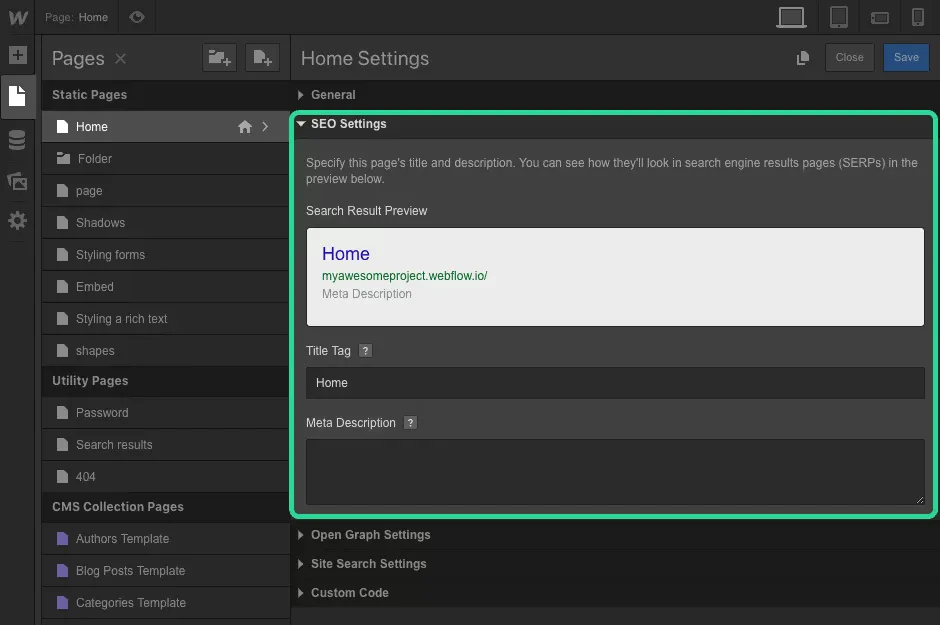
Search engine optimisation is something website builders absolutely have to take into account today. After all, our website should be found online. One thing up front: search engines love Webflow and Framer, and both platforms score in this area. Both solutions offer a wide range of tools that make filling in SEO titles and descriptions or alt texts for images as easy as can be.
In a direct comparison, there is not really much to choose between Webflow and Framer when it comes to search engine optimisation. Both tools have useful features that make our lives (and those of other SEO experts) easier. So when it comes to SEO, the choice between the two platforms probably comes down to personal preference alone.
👉 If you are also interested in how Elementor compares with Webflow on SEO, you will find more insights in our big comparison.
Content management system
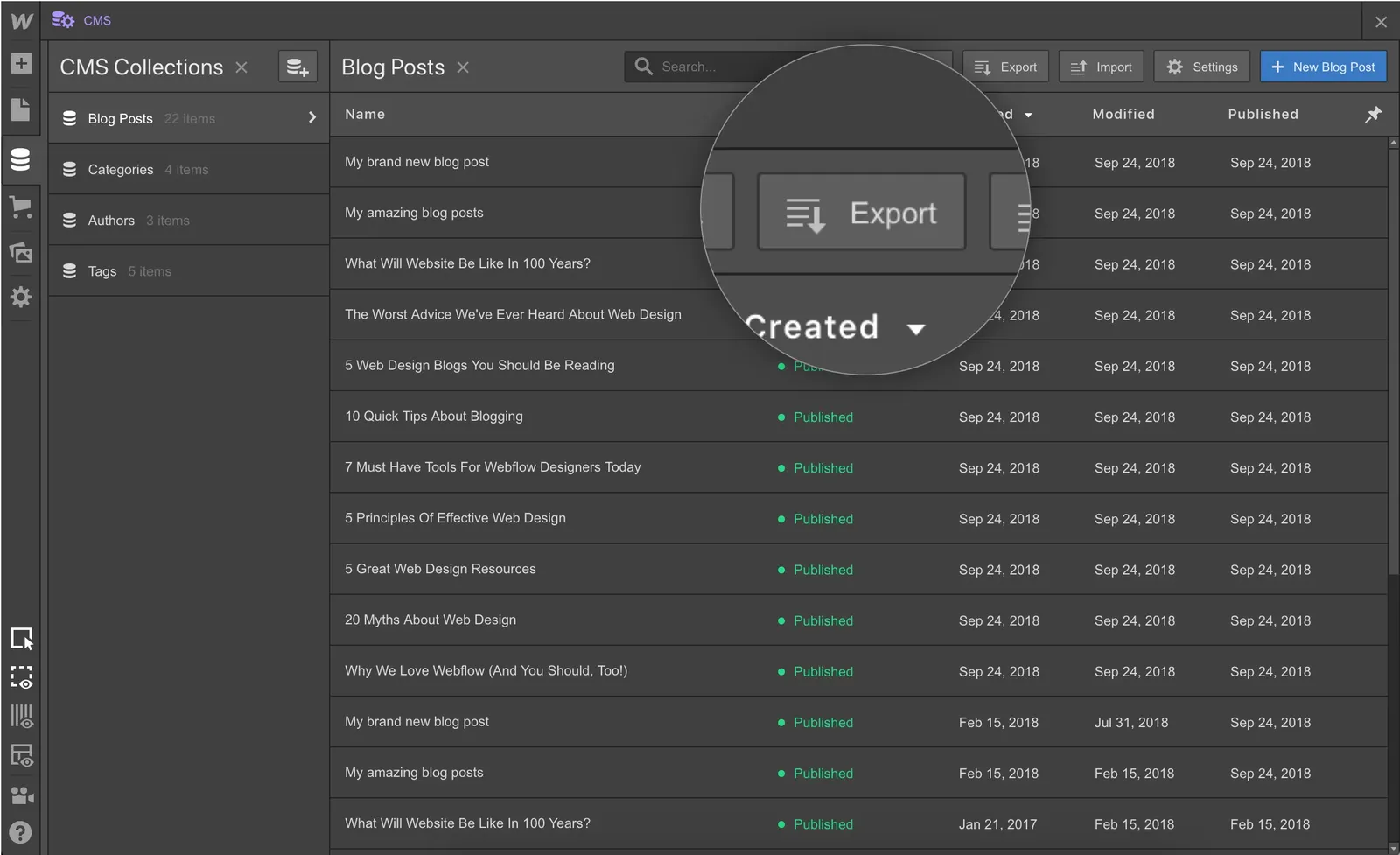
Whether it is a blog, a real estate website or a job board: dynamic content is essential for many websites. Both Framer and Webflow have a built-in content management system (CMS) that can be used to create and manage dynamic content. Both platforms have various tools that make creating, managing and publishing dynamic content child's play.
In the CMS editor, we define fields and parameters to enrich our content. Copy, images and other data types help us design our content exactly the way we want.
The ability to link content types with each other is particularly handy. If we want to divide our blog articles into categories, for example, we can easily do so with both CMS solutions. In no time, we can create dynamic templates for our categories that list all the blog articles belonging to each category. We then create a template for the blog articles themselves, which defines the design and feel of the posts. Both Framer and Webflow then fill these templates automatically with the content from our CMS. True to the motto: design once, use a thousand times!
Animations
Today, website builders have to offer much more than a drag-and-drop editor. What sets Framer and Webflow apart from many other platforms are the animation features both solutions offer. Even without complicated code, we can create animations in both website builders that take the user experience to the next level. Whether a simple entrance animation for headings or complex scroll animations that contribute massively to our website's interactivity.
Webflow in particular prides itself on its intuitive Interactions editor, which lets us create animations based on various parameters. Whether based on users' scrolling behaviour, timing factors such as delay, or mouse interactions such as clicks and hover: in a few steps, we have created complex animations that would take hundreds of lines of code and hours of work with classic technologies (such as JavaScript). We can animate numerous aspects; from the size of an element and the background colour of a container to the font colour, we have maximum control.
Framer also offers an animation editor that can make pages interactive and bring them to life. However, the editor is much more complex than Webflow's Interactions. You can also create breathtaking animations in Framer, but implementing them requires a deeper understanding of the editor. Experienced developers, such as the team at Bloq Labs, the leading Webflow agency in Switzerland, can create animations of the same or even better quality in Webflow, in a fraction of the time these animations would take in Framer.
👉 Curious what that looks like in practice? Then take a look at our Webflow references or book a free consultation for your project.
Multilingual websites
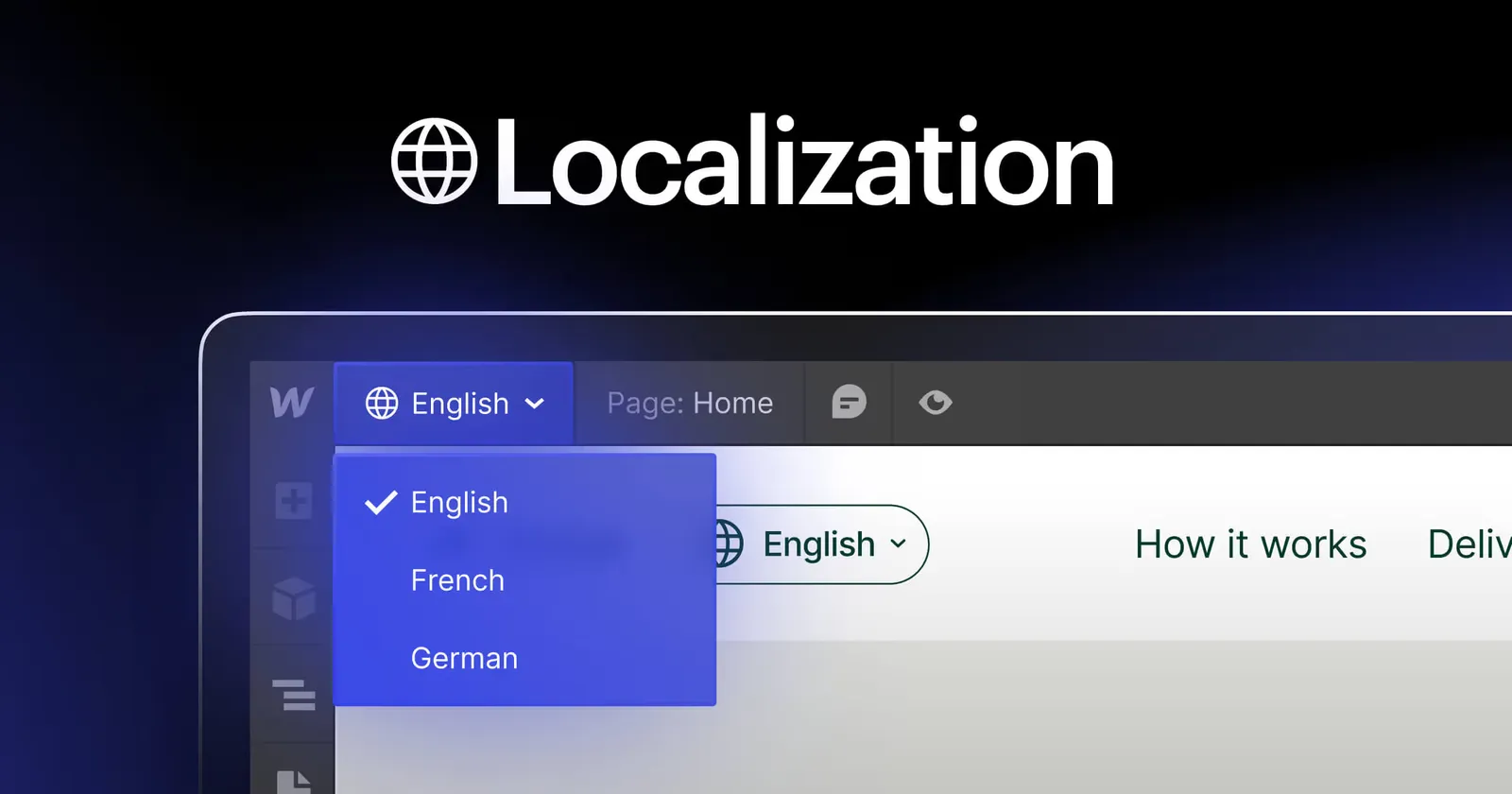
Today, many companies no longer want to offer their content only in their national language. Whether because of expansion beyond their region or because of geography: a multilingual website is almost a must today. Instead of relying on machine translation such as Google Translate, however, many website owners prefer to do it themselves. The good news: both Webflow and Framer offer translation of your website.
In both cases, this is a paid add-on that we can book for our website. With Framer, prices start at €20 per month per language. Depending on the pricing plan we have chosen, we can add up to 5 languages to our website. With Webflow, the Localization feature can be added regardless of the plan chosen. Prices start at $12 per month per language, and with this plan we can add up to three languages. More languages are available for an extra charge.
In Webflow or Framer, we can then change our website's static content as we wish. One feature that only Webflow offers is particularly handy: here we can also translate content from our content management system and adapt it to the different languages. To do so, we simply switch between languages in the CMS editor and change the copy for the language selected. This is not possible in Framer; instead, we have to use a workaround to offer our dynamic content in several languages. We can create a separate field for each language in the CMS and define in the front end which field is shown for which language. This solution, however, is extremely cumbersome and requires a lot of extra work.
But it is not only the user experience: the costs involved can also be a decisive factor when choosing between Webflow and Framer. A direct comparison shows that a multilingual site can quickly become much more expensive with Framer than with Webflow.
Webflow: A site with three languages costs us $36 per month (3 x $12) plus the cost of the site plan. Taking the CMS plan ($29/month) as an example, we arrive at a monthly price of $65.
Framer: For a site with three languages, we have to choose at least the Startup package (€75 per month). On top of that comes €40 per month per language. The monthly price for the website then comes to €195.
👉 So if you want to make your website multilingual, book a free initial consultation now; we are happy to help with planning and implementation.
Framer or Webflow: which choice suits your project better?
Both Webflow and Framer offer features that can make them a good choice for projects. However, you have to take a large number of factors into account to make the right decision. As our comparison shows, Framer is an affordable entry-level solution, but it quickly becomes expensive once you have higher demands on the CMS or need a multilingual website. And its user interface cannot keep up with Webflow's intuitive editor either.
For us, there is therefore only one real use case in which Framer has the edge: when the project is to be built with React. In virtually every other case, Webflow is the better choice. Whether because of its powerful CMS, its intuitive interface or the numerous apps that can extend our website: Webflow is the best platform for building a modern, technically sophisticated website today.
As a Webflow agency, we rely fully on Webflow's almost endless possibilities to deliver our projects, and those of our clients. We draw on many years of experience gained from more than 100 successfully launched websites. Our design & development process leaves no questions unanswered and makes sure we take your website from concept over the finish line, and even beyond if you wish. Want to switch from Framer to Webflow? We are happy to help with that too!
👉 Book your free, no-obligation consultation now and find out how Bloq Labs can help you bring your website successfully into the digital world of Webflow. We look forward to getting to know you!